


Hearing from Distance: Spy Ear
4.5336.00 Reviews
App Specs
- Version
- 2.1.2
- Updated On
- License
- Free
- Downloads
- 1,000,000+
- Developer
- Wallet Passes Alliance
- Categories
- Medical
- Platform
- Android
Screenshots
 Analysis by AppCompare
I’m cautious about any app that turns a phone into a listening tool, because the most important question is not just whether it can pick up sound but how responsibly I use it. Hearing from Distance: Spy Ear is a free medical-category app from Wallet Passes Alliance, and its stated purpose is to help users hear nearby sounds more clearly. It has a 4.7 average from around 12,000 ratings and over 1 million installs, which suggests plenty of people have tried it, but popularity is not a substitute for good judgment. I would treat it as a personal listening aid, not a way to monitor people without their knowledge.
Start with a clear, considerate use
The app’s appeal is easy to understand: a phone is already close at hand, and using its microphone can be more convenient than carrying a separate listening device. That convenience also makes context matter. Before opening it, I’d decide exactly what I need to hear and whether using a phone microphone in that setting is appropriate. A quiet room, a public announcement, or a sound in my own home is a very different situation from a private conversation that others expect to remain private.
It is rated for Everyone, but that age label does not make every use suitable for every situation. I would explain the app’s purpose to a child rather than framing it as a spy toy, and I would avoid using it to listen in on someone. The playful “spy” framing may attract curiosity, but responsible use is a more useful way to think about it.
What I would check before listening
On a phone, microphone access is the central control to consider. I would look at the device’s permission settings and allow microphone access only when I intend to use the app. If I no longer need that function, I would review the permission again rather than assume an app needs permanent access. These are practical checks on the phone itself; I would not treat them as proof of what the app does with audio behind the scenes.
I would also pause before using any recording option in a sensitive place. Saving audio changes the stakes: a sound that was momentary can become a file that may be replayed or shared. I’d record only when I have a clear reason and the people or setting involved make that appropriate. If I only need to listen in the moment, avoiding a recording is the simpler, more privacy-conscious choice.
Using the listening tools with care
The controls described for listening and sensitivity can be useful, but I’d make adjustments deliberately. Start at a comfortable setting, listen briefly, and change sensitivity only if the environment calls for it. In a busy space, raising sensitivity may bring up more background noise along with the sound I’m trying to hear; more amplification does not automatically mean better understanding. In a quiet space, a lighter touch may be enough.
I would also keep the phone close enough to capture the sound I need, without placing it somewhere that could make people think it is being used secretly. A phone microphone is not a substitute for a medical assessment or a dedicated assistive listening device. If hearing difficulty is regular, worsening, or affecting daily life, I’d speak with a qualified health professional about suitable support rather than rely on an app as a diagnosis or treatment.
Worth Reading Before You Choose

EA SPORTS FC Mobile 26 Is a Bigger Football Game, but It Takes Time

Flipboard Shows What News Apps Must Do Beyond the Feed

Switching to Android Auto Means Rethinking Your Driving Routine

Google Calendar Makes a Crowded Week Easier to Manage

Ludo King Makes the Most of the Minutes Between Plans

Baby Panda World Brings Quick Play to Modern Phones, but Its Game Library Feels Busy
Small choices that make a difference
For a quick test, I’d use a familiar, low-stakes sound first, such as a television at home, and compare listening with the app against listening normally. That gives me a realistic sense of whether it helps in my particular room and with my phone, without making assumptions based on a quiet demonstration. I’d keep volume comfortable, too: turning sound up aggressively can be unpleasant and may put hearing at risk.
Before relying on it for something important, I’d test the whole routine once: open the app, check the phone’s microphone permission, set a suitable sensitivity, and make sure I can stop listening easily. If I plan to save audio, I’d check where the phone stores recordings and who can access the device. Those steps are not glamorous, but they prevent the awkward surprise of finding a recording later or discovering that the phone was not set up as expected.
When another option is better
For hearing a television, captions are often a better choice when they are available: they do not depend on a phone microphone picking up clear audio, and they avoid amplifying the room. For a conversation across a table, asking someone to speak clearly or moving closer is usually more reliable and more considerate. In a lecture or meeting, I would follow the organizer’s rules and use an approved recording or accessibility option rather than assume that recording with a phone is acceptable.
Compared with a dedicated hearing aid or assistive listening system, a phone app is convenient to try but depends on the phone’s microphone, placement, and the sound around it. It may be handy for occasional listening, yet it is not the right answer for persistent hearing needs or situations where dependable clarity is essential. That distinction is important: a useful experiment is not the same as a medical solution.
Who is likely to find it useful
I can see this being most useful for someone who wants to experiment with listening to ordinary sounds in a controlled setting, or who needs a temporary way to make a television or distant sound easier to hear. A realistic example would be sitting in another part of the living room and checking whether the television is audible without turning it up for everyone else. I’d try it briefly, keep the phone in a sensible position, and stop if the result is uncomfortable or unclear.
I would skip it if the goal is covert listening, if I need reliable speech recognition in a noisy place, or if hearing loss is interfering with everyday life. In those cases, the ethical concerns, the limits of a phone microphone, or the need for professional guidance outweigh the convenience. The app is also a poor fit when captions, moving closer, or a purpose-built device would solve the problem more simply.
What the experience feels like
First things first, let's talk about the setup. I downloaded it on my Android device, and the installation process was a breeze. It’s available on both Android and iOS, so you’re covered no matter your device preference. Once installed, you're greeted with a pretty straightforward interface, which is always a plus in my book. No one likes getting lost in a sea of menus, right?
The app’s home screen is all about functionality. You have big, friendly buttons that let you start your "spy mission" with just a tap. It doesn’t get easier than this, folks. I appreciate that the developers didn’t overcomplicate things. Sometimes, less is more, and here, it definitely works.
Features that Stand Out
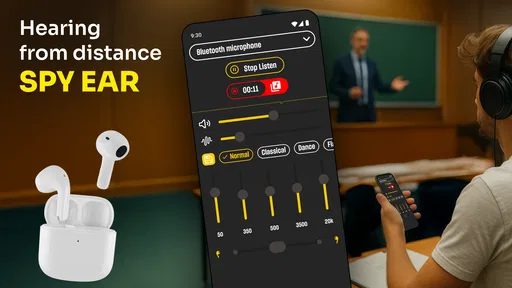
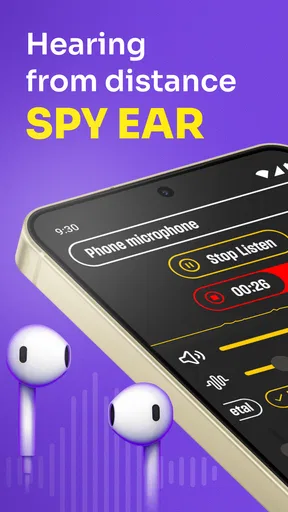
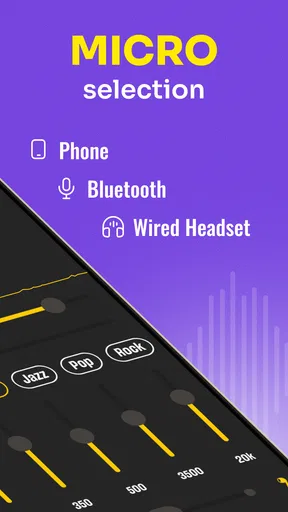
Alright, let’s dive into the juicy stuff — the features. The app uses your phone's microphone to pick up sounds and enhances them, giving you the ability to hear from a distance. It’s like having a superpower, but, you know, not as cool as flying or invisibility.
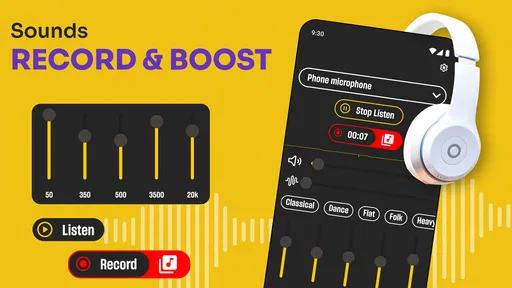
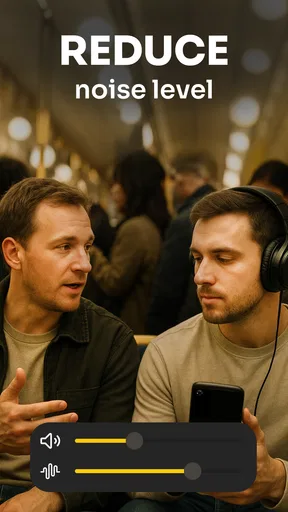
One feature I found particularly interesting is the ability to adjust the sensitivity. You can tweak how much sound you want to pick up, which is great for different environments. Whether you’re at a bustling café or a quiet park, you can tailor the experience to suit your needs.
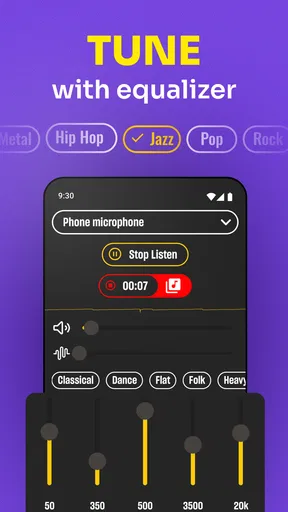
There’s also a recording feature, which lets you save the audio for later. I can see this being useful for students who want to record lectures or for anyone who just wants to keep a record of something they overheard. Just make sure you’re not breaking any privacy laws, okay?
The User Experience
Using the app was quite an experience. I tested it out in various settings — from my noisy living room to a serene garden. The app did a decent job in both scenarios, although, naturally, it performed better in quieter environments. The sound quality was surprisingly clear, which is a testament to the app’s solid design.
However, I did notice a slight lag when adjusting the sensitivity settings. Nothing major, but it’s something to keep in mind if you’re planning to switch settings frequently. The battery usage was moderate, so no need to worry about your phone dying mid-espionage.
Final Thoughts
So, is it worth downloading? It is free, runs on Android devices with version 5.0 or later, and its current version is 2.1.2. The app also offers in-app purchases, so I’d check the purchase prompts carefully before confirming anything. If you’re looking for a casual way to explore how phone-based sound amplification works, and you’re willing to keep its limits and privacy responsibilities in mind, it may be worth trying.
Just remember, with great power comes great responsibility. Use the app ethically and respect others’ privacy. I’d treat it as an occasional listening aid, not a substitute for captions, a dedicated device, or professional advice when hearing problems persist. Happy listening!
Pros
- Easy-to-use interface for quick setup.
- Clear audio quality even at long distances.
- Adjustable sensitivity for varied environments.
- Compatible with most Bluetooth devices.
- Minimal battery consumption for extended use.
Cons
- Potential privacy concerns with misuse.
- Requires stable internet connection.
- Limited functionality without headphones.
- Ads can be intrusive during use.
- May not work well in noisy areas.
FAQs for Hearing from Distance: Spy Ear
What is Hearing from Distance: Spy Ear and how does it work?
Hearing from Distance: Spy Ear is an app designed to amplify sounds from a distance using your smartphone's microphone. The app processes and enhances audio, allowing users to hear conversations or sounds that are otherwise inaudible. It's important to use the app responsibly to respect privacy and legal boundaries.
Is Hearing from Distance: Spy Ear legal to use?
The legality of using Hearing from Distance: Spy Ear depends on your location and how you use it. Many regions have strict laws regarding unauthorized recording or eavesdropping. Users must ensure they comply with local laws and obtain consent if required before using the app to listen to others.
What devices are compatible with Hearing from Distance: Spy Ear?
Hearing from Distance: Spy Ear is compatible with most Android and iOS devices. The app is optimized for smartphones and tablets that have a functioning microphone and speaker. Check the app store for specific device requirements and ensure your OS version is up to date for optimal performance.
Does Hearing from Distance: Spy Ear require an internet connection?
No, Hearing from Distance: Spy Ear does not require an internet connection to function. The app processes audio locally on your device. However, an internet connection may be necessary for downloading updates or accessing additional features that might be introduced in future versions.
Are there any privacy concerns with using Hearing from Distance: Spy Ear?
Yes, using Hearing from Distance: Spy Ear raises privacy concerns. The app can potentially be used to invade others' privacy if not used responsibly. Users should be mindful of the ethical and legal implications and ensure that their use of the app respects the privacy rights of others, adhering to applicable laws.


